
I used Claude, an AI coding tool from Anthropic, to build Signal Check, a free online mix analyzer and LUFS checker that runs in your browser. Claude wrote the code. I decided what it should measure, what it grades against, and what it tells you to fix, and I tested every version against the meters I already trust.
This is how it got here: eight versions in five months, what each one was for, and what broke along the way.
Who did what
- Me: the idea, what it measures, the genre targets and the reference records behind them (which I bought), the layout calls, and testing. I found a lot of the bugs myself.
- Claude: the code, and the fixes when something breaks. I check each fix before it goes live.
Benn Jordan proposed a scale for how much AI goes into software (his post). Signal Check is AI-dev-C: “AI-written code is used primarily throughout the software under the guidance and supervision of a novice developer.” That’s an accurate description, so that’s the rating I’m giving it.
Why I built it
I wanted to learn how AI coding tools work by making something useful with one. I also wanted a meter for artists who don’t know what an EQ or a compressor does. Most meters show you graphs and leave you to guess whether that’s good for your genre. A lot of them mark you down for distorted 808s, drill or underground mixes that are loud and rough on purpose.
So the goal was one sentence: here’s the problem, here’s why it’s happening in your song, and here’s how to fix it yourself.
May 31: one HTML file
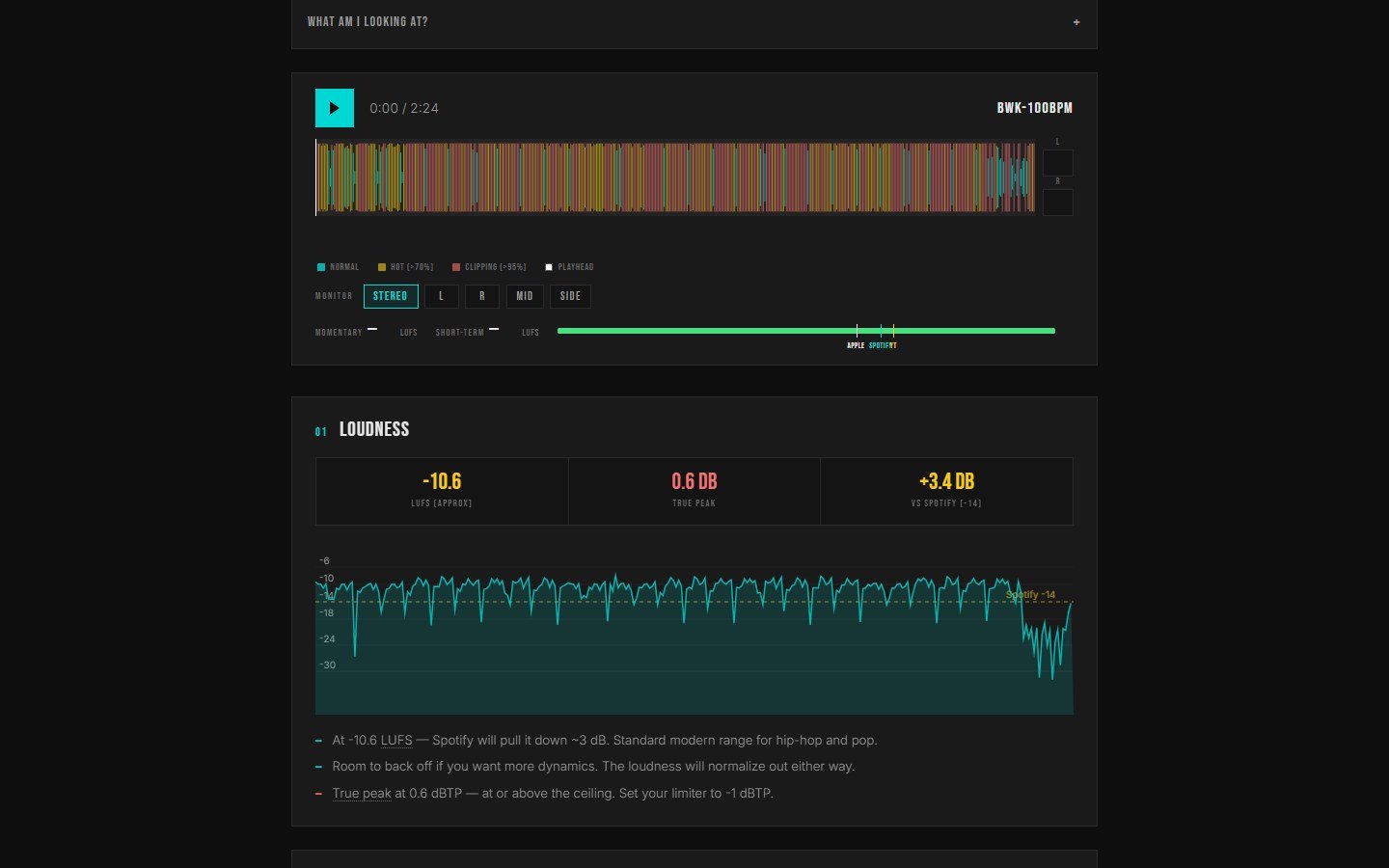
The first version was one file. A drop zone, a waveform colored by how hot each moment was, and a line that’s still on the page: nothing gets uploaded. I put that first on purpose. A free tool shouldn’t ask for your music before it’s done anything for you.
What broke: uploads hung on iPhone, and true peak was pass or fail, so a track just over the line read as broken. Both were fixed in June.
June 19: carousels and track types
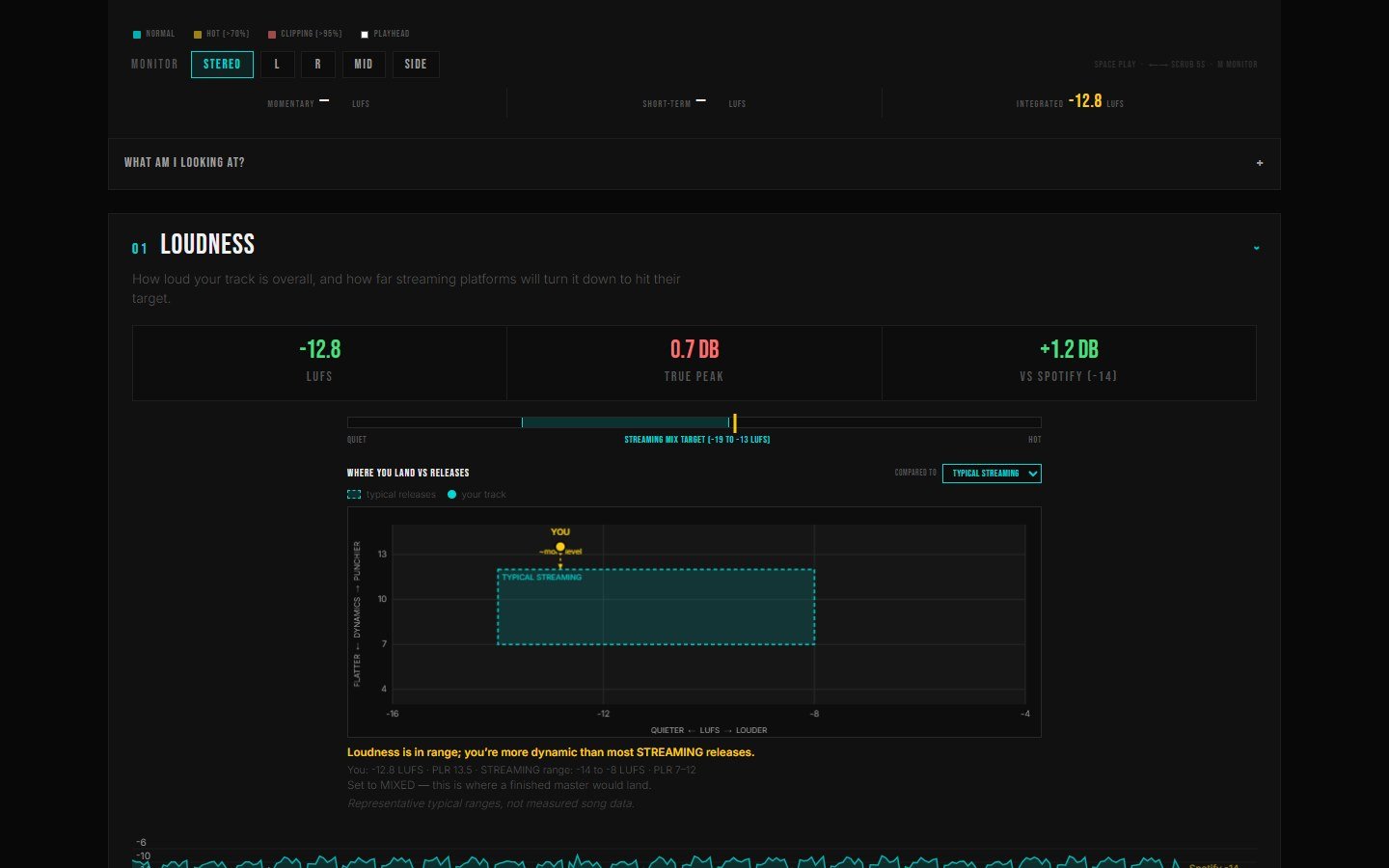
I added a 10-card carousel of your results, for breaking down new releases and for sharing your own. It barely got used, so it isn’t part of the main flow anymore.
I also added a track-type switch (rough mix, mixed, mastered, reference) so a rough mix wouldn’t get marked down for not being as loud as a master. In September I cut it to mastered and reference. Most people I watched use it were checking mixes they were about to send to mastering, and comparing against masters showed them the gap more clearly.
June 29: the first design system
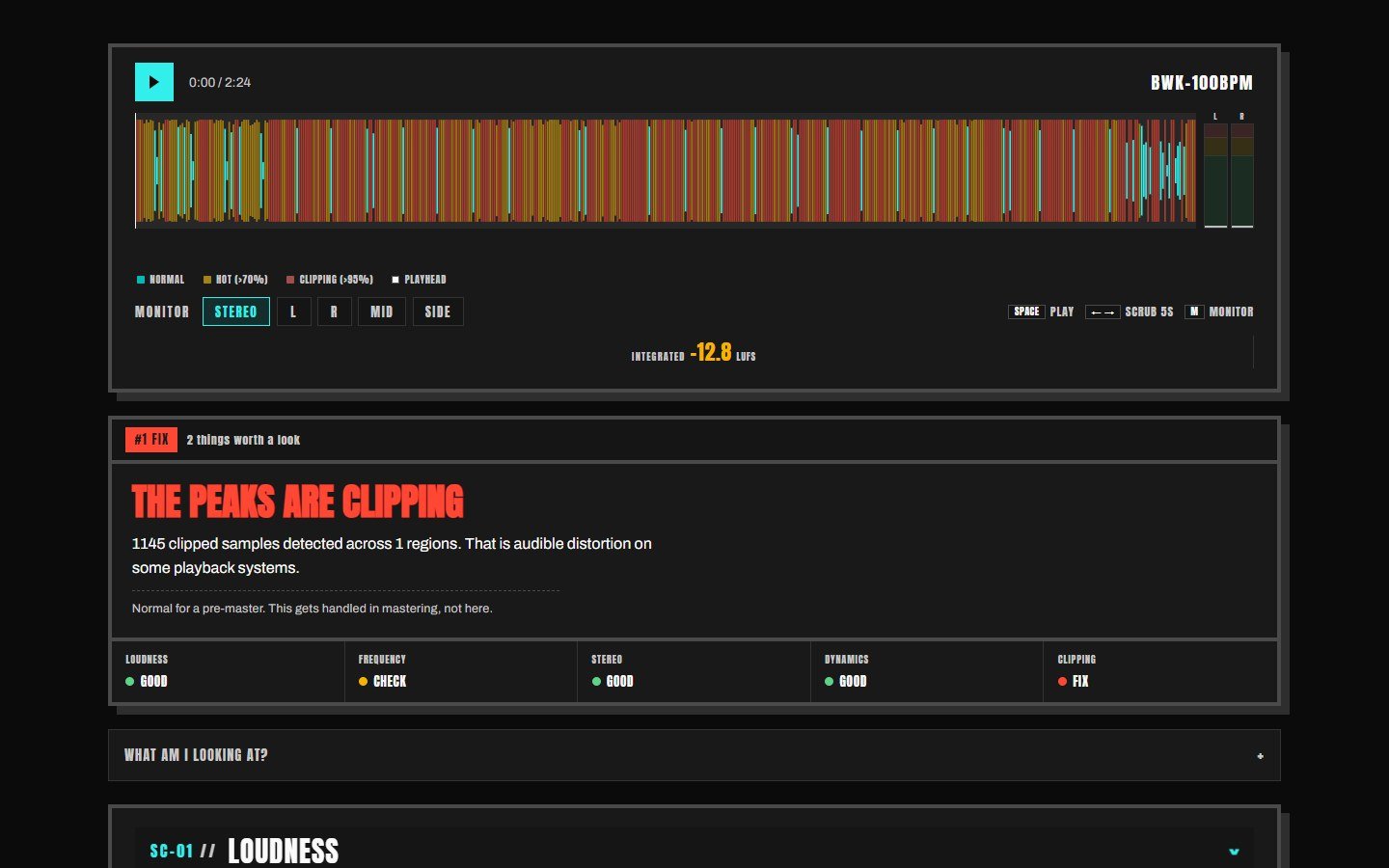
The early page looked like a lot of AI-made sites: gradients, rounded corners, a corporate teal. I wanted it to look like it belonged to a music producer, so I started a real design system. That’s where I landed on the rule the site still follows: neo-brutalism for the look, cassette futurism for the story.
The verdict card with one #1 fix came in here, picked from a few options Claude laid out. I also wrote the first How Signal Check Works page, because mix analyzers are usually quiet about how they grade.
What broke: the genre loudness numbers. Some early references were low-quality rips, so I started buying proper masters to build a consistent set.
July 10: the longest page
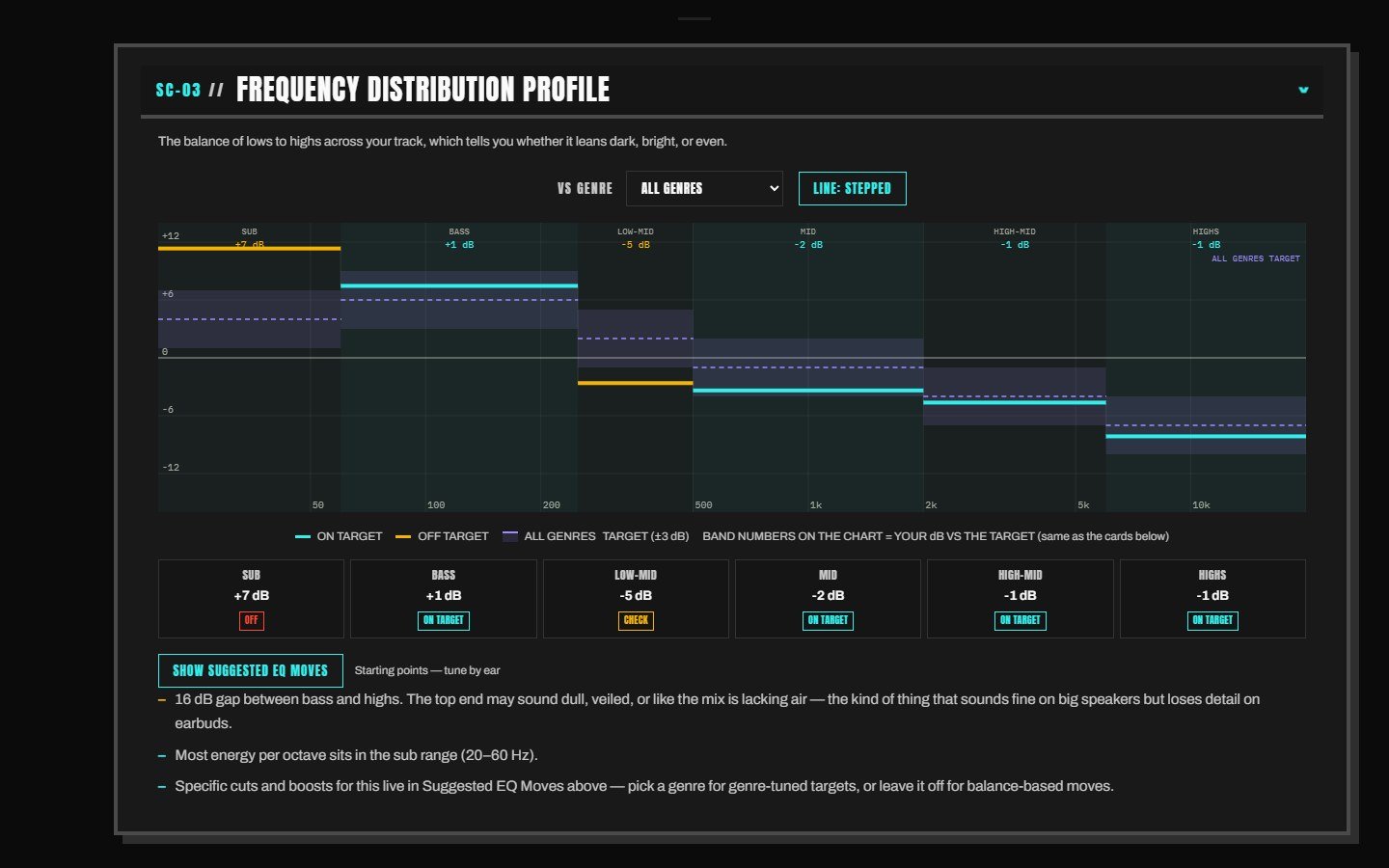
This version added a grid that moves with the music, and the page grew to twice its original length. I don’t like scrolling through a tool, so that set up the next three versions.
What broke: everyone was being graded as hip-hop, whatever genre they picked. I noticed a dropdown that didn’t do anything and flagged it, and the fix found the hard-coded genre. The same fix removed a shortcut that let trap skip the mud check. We tested the check on six real 808 tracks, and the shortcut turned out to be built on a wrong assumption. Distorted 808s now get graded like everything else, against their genre.
July 23: rack faceplates
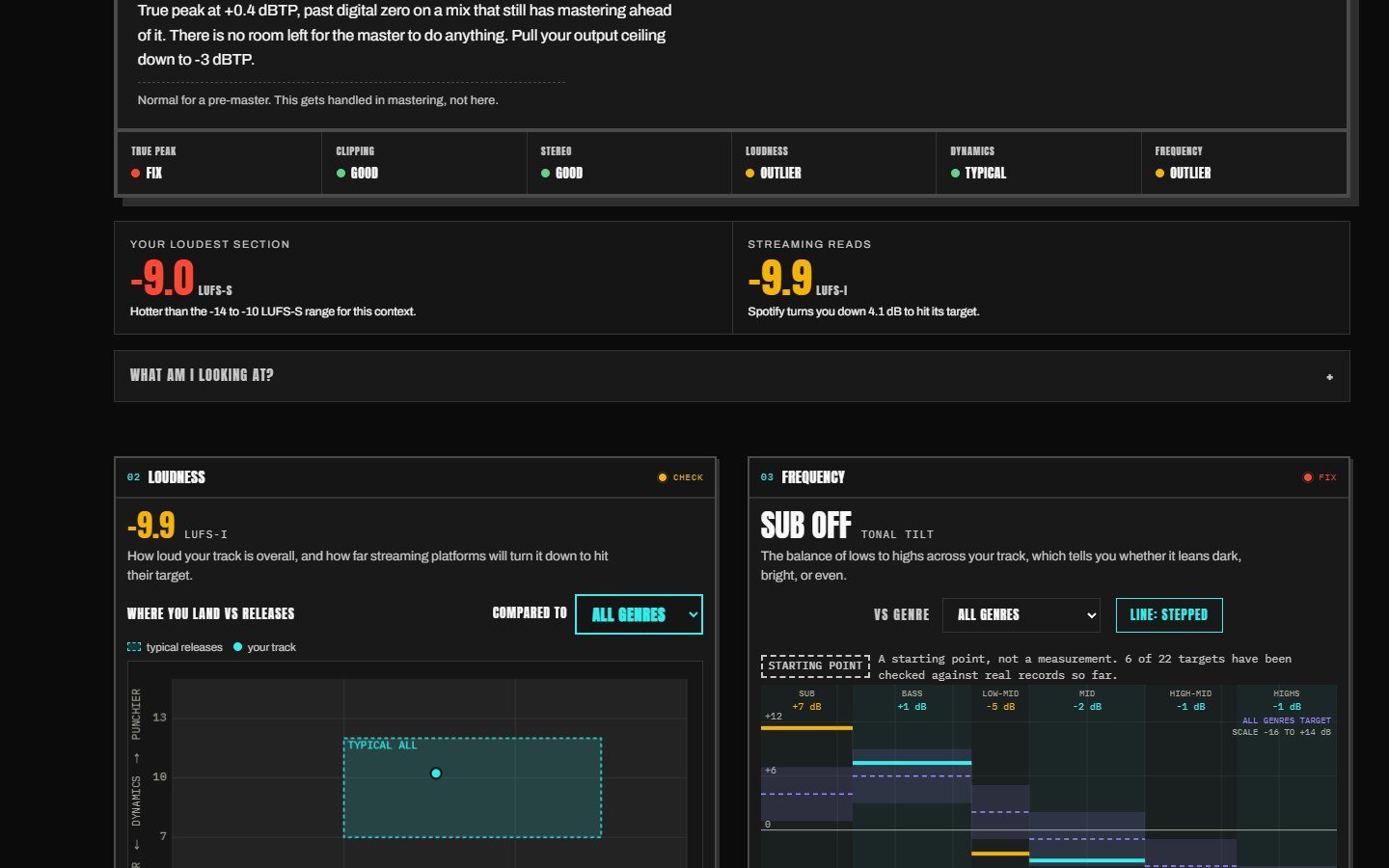
Each section became a rack unit with its own status lamp, closer to how a plugin looks. True peak got calibrated against 42 mastered records I bought for it. Rips don’t work for this, since lossy compression cuts the top end around 16k.
What broke: the A/B player came out. I used it on my own mix: ran version one through Signal Check, followed what it said, made version two, and could hear the difference. But it was built in a way that caused problems across the page, so it went.
August 7: the console
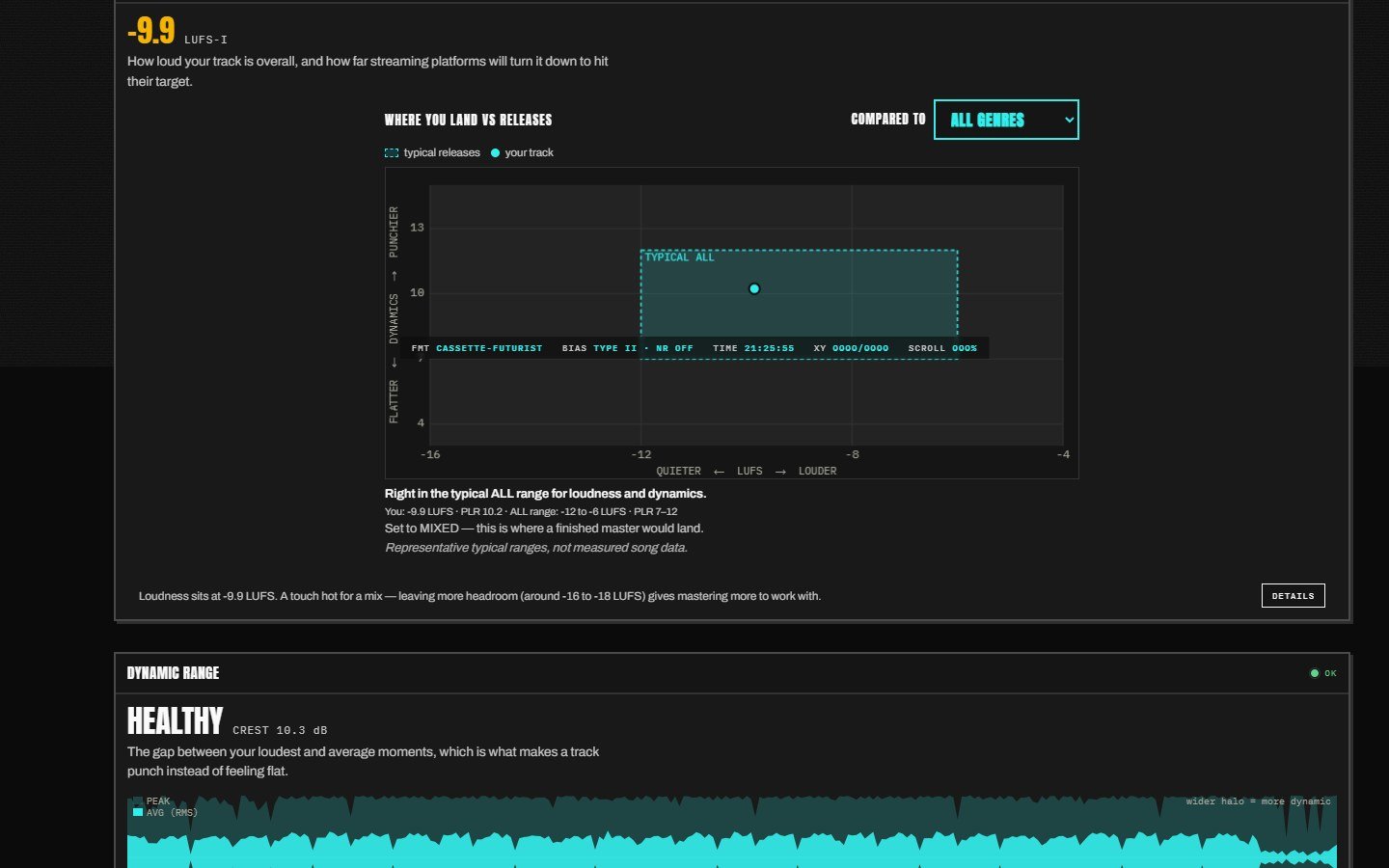
I wanted more than my own opinion on the layout, so I ran the options past a panel of AI advisors. They voted 7 to 0 for a console: a strip pinned at the top with views you switch between. I agreed and went with it. I also added TRY AN EXAMPLE, which loads a mix of mine, so you can see how it works without a track of your own handy.
Harshness started being graded per genre. It began as an attempt at detecting AI in songs, which wasn’t reliable, so I changed it to something measurable: how harsh a track gets from 2 to 5 kHz and whether it would wear your ears out.
What broke: the verdict could contradict itself. Since then, only a measured fact can tell you to fix something.
September 3: instrument first
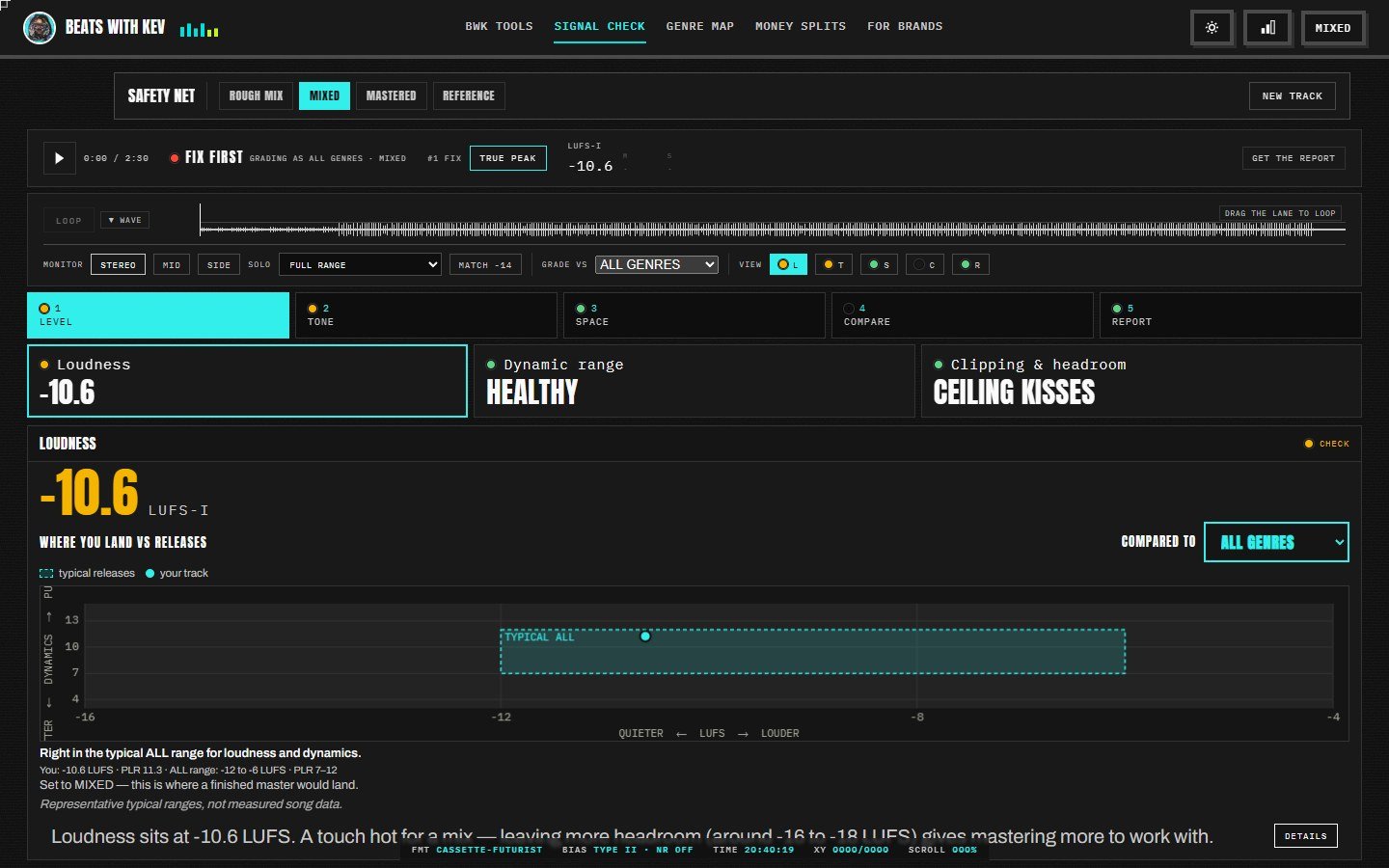
Each view now opens on its main meter at full width, laid out so it could map to a plugin window later. A real vectorscope went in, so you can see how wide or mono your mix is and catch phase problems.
What broke: two features I wanted didn’t earn their place. The delta spectrum in COMPARE never told anyone anything useful, and automatic song mapping (verse, hook, bridge) split a four-minute song into five sections, one over two minutes long. I tested both, saw they’d confuse more people than they helped, and shelved them.
October 4: five chapters
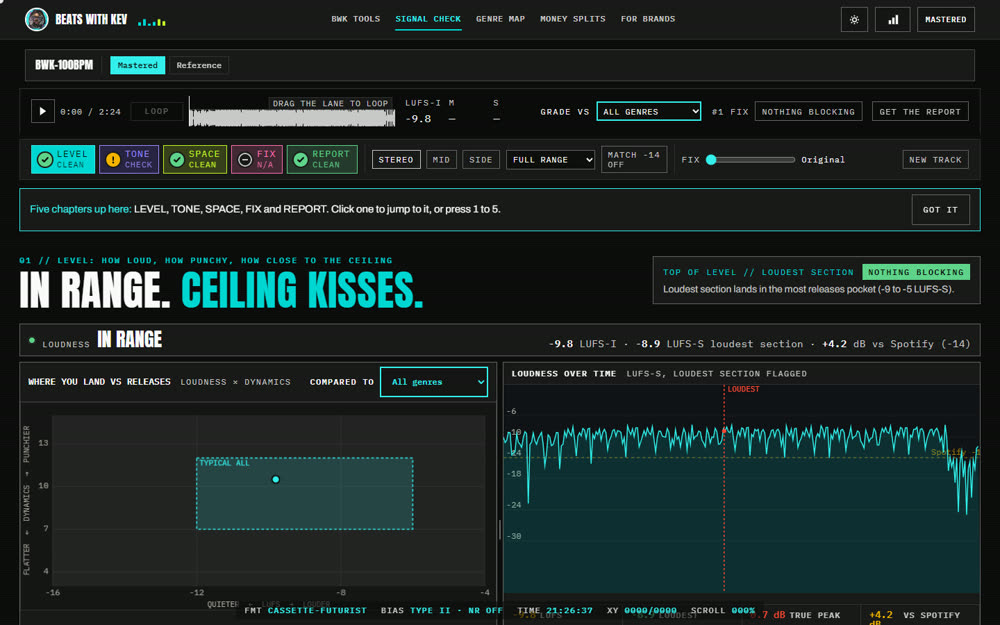
I cut the sections down to five: LEVEL for loudness and clipping, TONE for EQ and frequency, SPACE for stereo and phase, FIX for a slider that lets you hear a rough adjusted version, and REPORT for everything on one page.
What broke, and I caught it: I put Signal Check next to iZotope Insight 2 on the same file. Signal Check read -3.6 LUFS where Insight read -3.4, and true peak 2.9 where Insight read 3.4. Since July, 44.1k files had been resampled twice on 48k computers, so loudness ran up to 0.1 LU low and true peak up to 0.5 dB low. The automated checks only compared Signal Check with itself, so nothing else flagged it. It was fixed the same day.
How I check the numbers now
Every new version gets measured against ffmpeg’s loudness meter, which shares no code with the page. On my test files, loudness lands within 0.01 LU. True peak on MP3s can’t be read in a browser, and the page tells you that. I still spot-check against Insight 2.
On October 20 we added one more rule: if any reading is red, the verdict says FIX FIRST. A track with a red problem shouldn’t read as ready.
What’s next
- The five-sided problem radar shows on phones but not on desktop yet.
- REPORT and the fix notes need to be shorter and easier to scan.
- The phone version is paused; for now the page asks you to use a desktop.
- FIX could do more: smarter EQ moves, saturation, transient shaping.
Try it
Signal Check is free. Nothing gets uploaded, and it doesn’t collect your data. Everything runs on your computer. If it tells you something useful, or something wrong, I want to hear about it.